• Features
  • Pricing

Image to Image AI: Restyle Any Photo for Free

Upload a photo and describe the change. Start with free Basic images.Upload a photo, describe the change, and get a new version in seconds. Restyla's image to image AI turns your picture into anime art, restores old photos, removes unwanted objects, and swaps product backgrounds while keeping faces and details unchanged.

Result

Your transformed image will appear here.

2 free images a day, no sign-up needed · 5 with a free account · Basic 1K · resets 00:00 UTC

Image to Image AI Before and After Examples

Explore six edits, copy a prompt, and try it with your own photo.

Turn a Portrait into Anime Art — BeforeBefore
Turn a Portrait into Anime Art — AfterAfter

Turn a Portrait into Anime Art

Turn a selfie into clean anime artwork while keeping the same face shape, hairstyle and pose. Good for avatars, profile pictures and fan art.

Prompt

Turn this portrait into anime art, keep the same face, hairstyle and pose, clean line art, soft cel shading
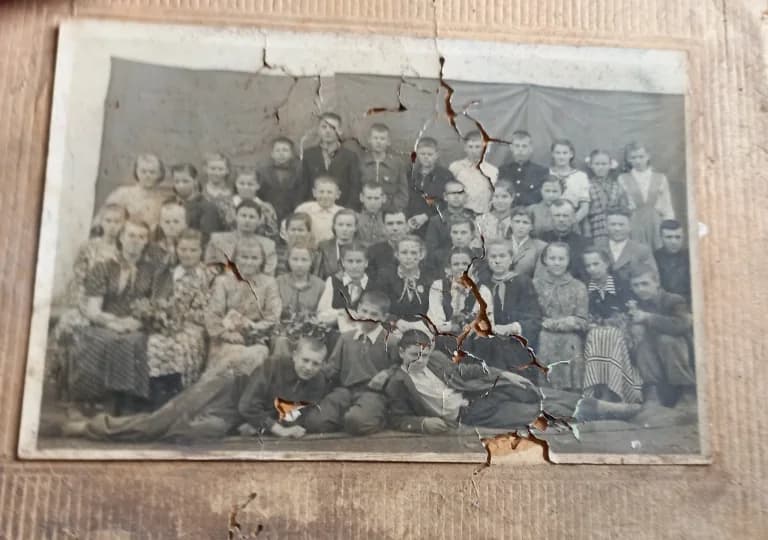
Restore Old and Damaged Photos — BeforeBefore
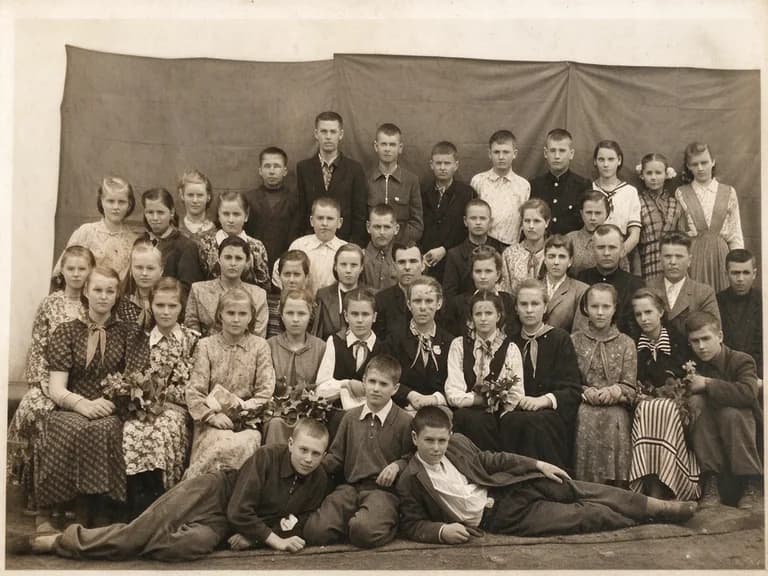
Restore Old and Damaged Photos — AfterAfter

Restore Old and Damaged Photos

Remove scratches, dust and creases from old family photos and bring back sharp details without changing anyone's face.

Prompt

Restore this old photo, remove scratches, dust and creases, sharpen details, keep the original faces unchanged

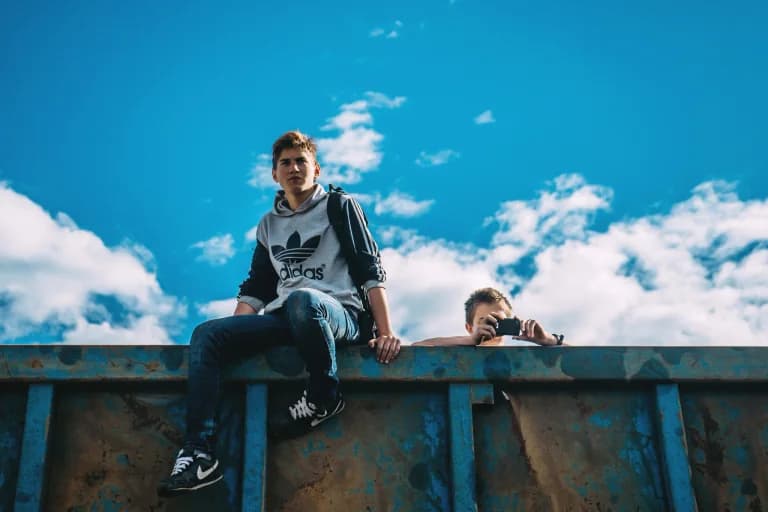
Remove an Unwanted Person — BeforeBefore
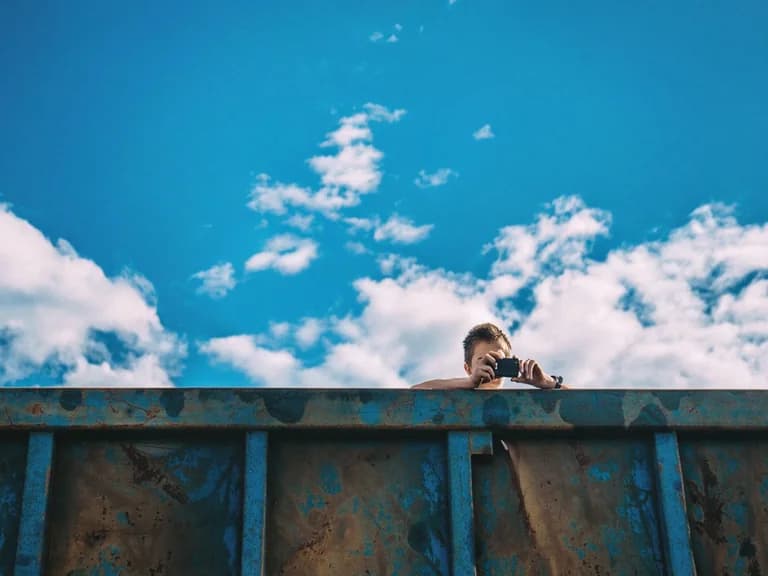
Remove an Unwanted Person — AfterAfter

Remove an Unwanted Person

Remove a stranger or other unwanted object from your picture. The background is filled in naturally, so it doesn't look edited.

Prompt

Remove the person on the left, fill the background naturally, keep everything else the same

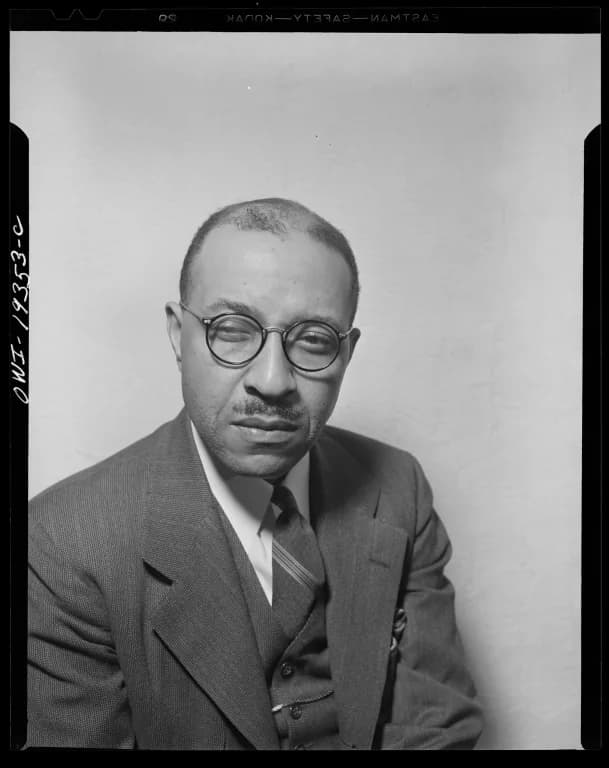
Colorize a Black-and-White Portrait — BeforeBefore
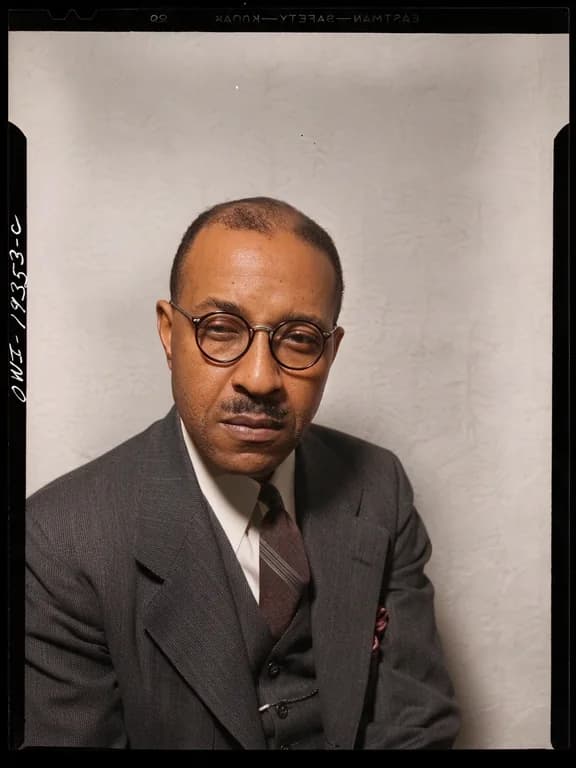
Colorize a Black-and-White Portrait — AfterAfter

Colorize a Black-and-White Portrait

Add natural skin tones and realistic colors to black-and-white photos while keeping the original details.

Prompt

Colorize this black-and-white portrait with natural skin tones and realistic colors, keep all details

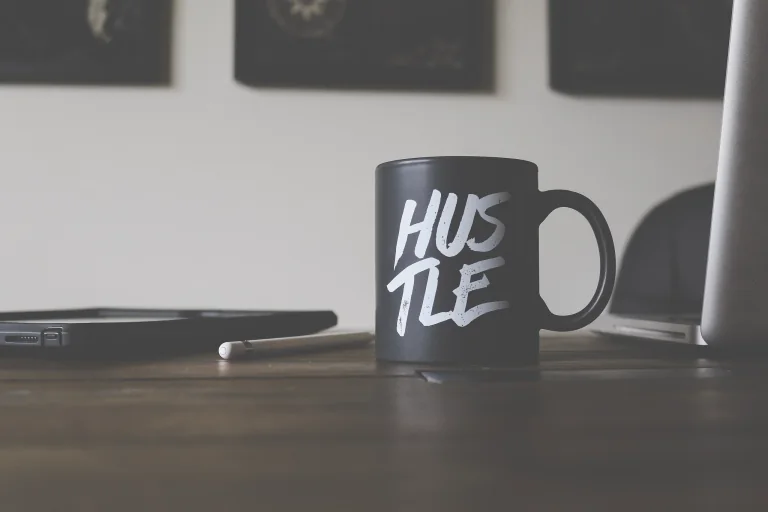
Create a Clean Product Background — BeforeBefore
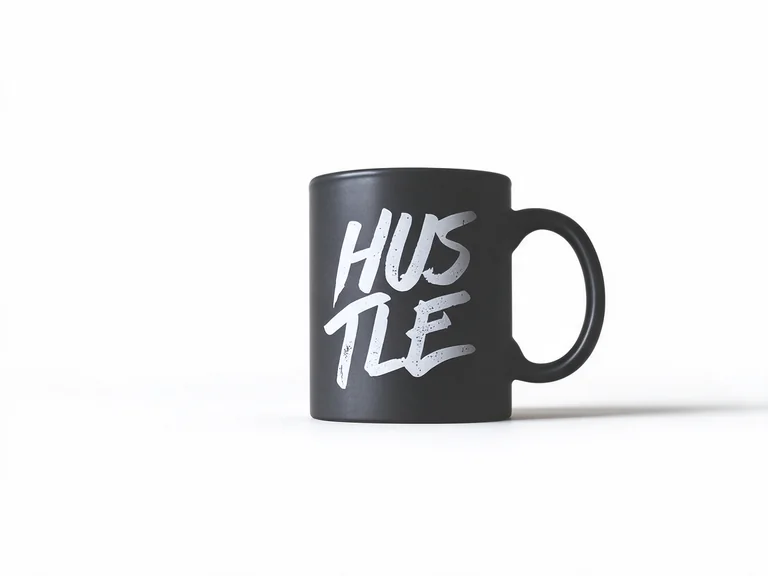
Create a Clean Product Background — AfterAfter

Create a Clean Product Background

Put your product on a clean studio background for Amazon, Shopify or social media. The product stays as it is.

Prompt

Place this product on a clean white studio background with soft shadow, keep the product exactly the same

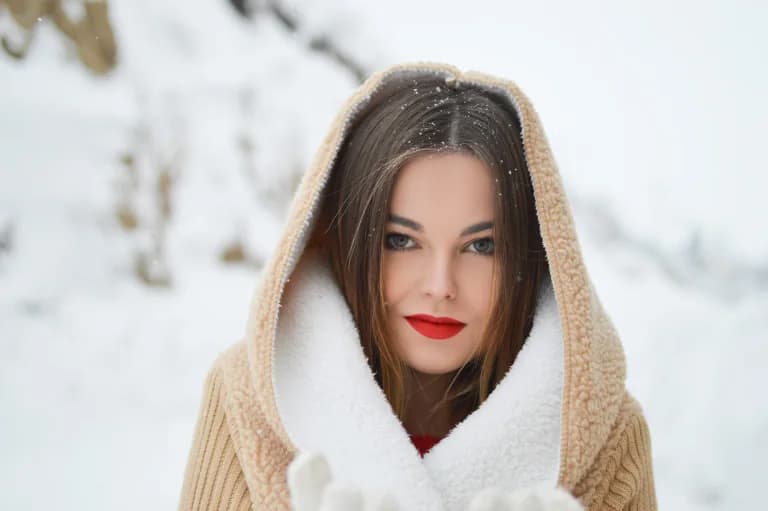
Refine a Portrait Naturally — BeforeBefore
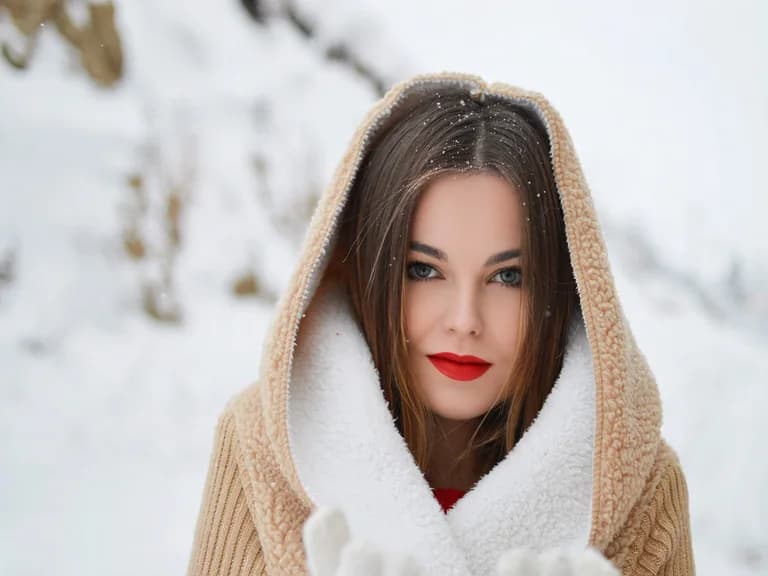
Refine a Portrait Naturally — AfterAfter

Refine a Portrait Naturally

Even out the lighting and lightly smooth the skin without the plastic look. The person still looks like themselves.

Prompt

Retouch this portrait naturally, smooth skin slightly, even lighting, keep facial features and identity unchanged

Examples generated with Restyla (Basic, 1K). Results vary with the source image and prompt.

How to Use Image to Image AI Online

Start with your own photo and guide the edit in three steps.

  1. 1

    Upload your photo

    Drag in a JPG, PNG or WEBP image up to 10 MB. Clear, well-lit photos give the best results.

  2. 2

    Pick a preset or write a prompt

    Choose one of six ready-made prompts or describe the change in your own words. Say what to change and what to keep, like “change the background to a beach, keep the person unchanged.”

  3. 3

    Adjust and generate

    Choose an aspect ratio and click Generate

What You Can Do with Image to Image AI

Image to image AI, often called img2img, creates a new picture from one you already have. A text-to-image tool starts from a blank canvas. Restyla starts from your photo and uses its layout, subject and composition to guide the result.

Change the Style

Turn a photo into anime, watercolor, oil painting, 3D cartoon, pixel art or a film look. If you need an AI image generator from image rather than from text, you can change the style while keeping the subject recognizable.

Restore and Colorize

Repair faded, scratched or low-quality photos and add color to black-and-white pictures. Bring old family albums to life again.

Remove Objects and People

Remove photobombers, text, power lines or clutter. Let the AI fill the gap to match the rest of the scene.

Replace Backgrounds

Put a person or product in a new setting, like a studio, a city street or a beach at sunset, without cutting anything out by hand.

Extend the Frame

Change a square photo to 16:9 or 9:16 and let the AI fill in the missing edges. Useful for banners, YouTube thumbnails and Stories.

Whether you search for img to img AI, photo to photo AI or image to image AI, the task is the same: bring a photo, describe the change, and get a new image.

Keep Faces and Products Unchanged

The most common problem with image to image tools is that they change things you wanted to keep. A face looks like a different person, or a product label gets rewritten. Restyla is built around keeping what matters:

  • Every preset says what to keep.

    All six presets include "keep … unchanged" instructions, so faces, hands, logos and product shapes stay as they are.

  • Say it in your own words.

    Add "keep the face unchanged" or "keep the label exactly as it is" to any prompt, and Restyla follows it.

  • Proof on the page.

    Every before-and-after example above was generated with Restyla. Zoom in and check: same person, same product.

Who Uses Restyla's Image to Image AI

From online stores to family albums, start with a photo and adapt it to your project.

Online Sellers

Make clean, consistent product photos for Amazon, Etsy and Shopify without booking a studio. One phone photo can become a white-background shot, a lifestyle scene and a social post.

Content Creators

Make thumbnails, avatars and eye-catching posts in different styles from your own photos. Try anime, cinematic or retro looks.

Designers and Marketers

Get quick visual drafts from a reference image. Test style ideas, mood boards and ad versions before you put hours into the final design.

Families and Everyday Users

Restore old prints, colorize grandparents' portraits, or remove a stranger from a vacation photo. You don't need editing skills.

FAQ about Image to Image AI

What is image to image AI?

Image to image AI creates a new image from an image you upload and a text instruction. It uses the structure of the original photo, such as the subject, pose and composition, and changes what you ask for, such as the style, background or damaged areas.

Is image to image AI free?

Yes. Guests get 2 free Basic 1K images a day, and a free account gets 5 — enough for most everyday edits. Paid credits unlock Advanced quality up to 4K and higher-resolution output. 100 credits from $9.99, and they never expire.

How is image to image different from text to image?

Text to image starts from a written prompt only. Image to image starts from your photo, so the result follows your subject and layout. Use it when you want to edit or restyle a picture you already have.

How many free images do I get?

Guests can generate up to 2 Basic images per day; verified accounts get up to 5. The allowance resets at 00:00 UTC and does not carry over. Regional, abuse-prevention and daily budget limits apply. Free allowances are separate from purchased credits.

Who can use free image generation?

Guests get up to 2 Basic images per UTC day and verified accounts get up to 5, in eligible countries and regions. Device, IP and overall daily budget limits apply. Credits can be used when free images are unavailable.

Will the AI change my face or my product?

Not if you don't want it to. Use a preset, or say what to keep in your prompt, for example "keep the face unchanged." All our presets include these instructions already, and every before-and-after example on this page was made with Restyla.

What image formats and sizes are supported?

You can upload JPG, PNG and WEBP files up to 10 MB. Aspect ratio options are Auto, 1:1, 9:16, 16:9, 4:3 and 3:4.

How long are my images kept?

Free uploads and results are available for 24 hours. Paid sources and results are saved in My works for 30 days. Download images before they expire. Providers have their own data handling terms; see our privacy policy.

Can I use the images commercially?

Commercial use depends on the rights to your source photo, the selected model and the applicable plan terms. Review our Terms of Service before using an output for product listings, ads or social media.

Is my uploaded photo private?

Images are stored privately and shared with generation providers through temporary links to process your request. Provider data handling and training terms vary; see our Privacy Policy.

Is img2img the same as image to image AI?

Yes. “Img2img” is a short name for image to image AI. “Img to img AI” and “photo to photo AI” describe the same process: you give the AI an image and it creates a new version.

Start Restyling Your Photos

Upload a photo and explore what image to image AI can do. No sign-up needed for your first images.

Upload a Photo, It's Free

Restyle, restore and reimagine your photos with AI.

Product
  • Features
  • Pricing
  • FAQ
Company
  • About
  • Contact
Legal
  • Cookie Policy
  • Privacy Policy
  • Terms of Service
  • Refund policy
© 2026 Restyla. All Rights Reserved.